
Do you want to search in all categories or in this category ?

To edit time and date, press the timestamp on your comment

and an editable box  will open up.
If you only want to change the time you can write it in the number-field.
If you want to change both time and date, you press the  in the box.
A new box will open that contains both time and date.
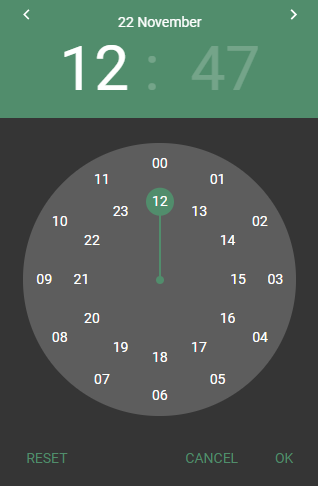
Set your date by using left or right arrow on the top.
Set your time by either write in the time-field, or by rotating the clock hands to your choice.
Press Reset to set it back to default value.
Press Cancel to close the window without saving.
Press OK to save your changes.

