
Do you want to search in all categories or in this category ?

Expand the Rig/Well and click on the Event that you want to create the Phase under on the left side of the screen.
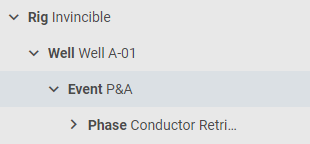
Select the appropriate Phase code.

When you select the Phase code, it will trigger an action that automatically fills in a Phase Title.
Click on the title field if you want to add or edit the text.

Hit enter or click on the  icon on the right side to save the Phase.


